Your AI builds the game.
You direct.
240+ MCP tools that let AI agents create scenes, write scripts, place assets, debug code, and run your Godot 4.x project. Not a plugin that does one thing. The whole editor, programmable.
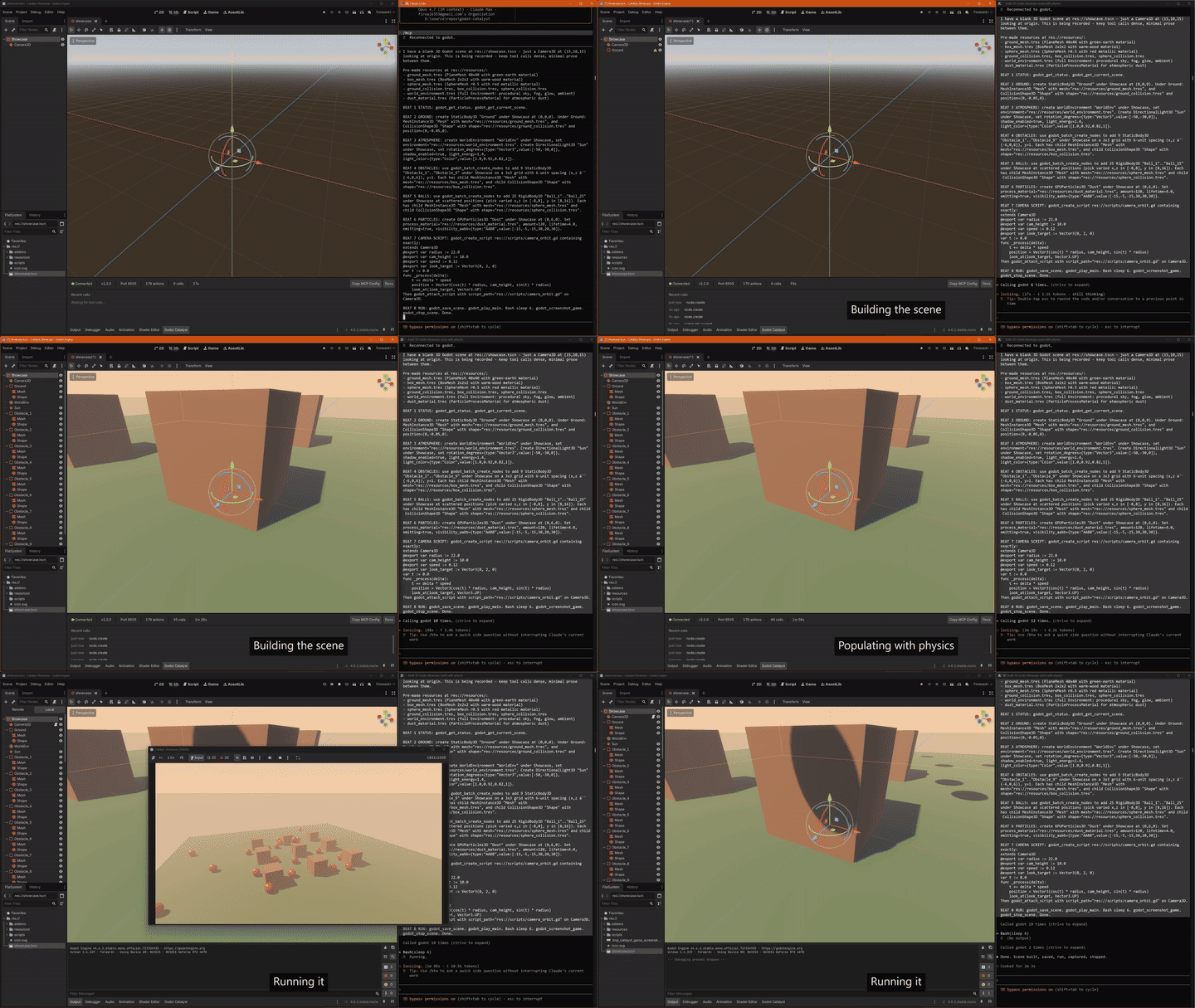
What your AI can do
Build Scenes
Create nodes, set properties, arrange hierarchies, instance sub-scenes. Full scene tree manipulation through 26 scene and node tools. Every change goes through UndoRedo so you can always revert.
Write Code
Create and edit GDScript files, attach scripts to nodes, search across your codebase. LSP integration gives the AI autocomplete, diagnostics, hover info, and go-to-definition. DAP integration for breakpoints and stepping.
Place Everything
2D sprites, collision shapes, tilemaps. 3D meshes, materials, lights, CSG. Audio players, particle systems, navigation meshes. Shaders, themes, physics bodies. If the editor can create it, the AI can create it.
Find Assets
Search CC0 asset libraries (Poly Haven, AmbientCG, Kenney) directly from the AI. Generate 3D models and textures with AI. Manage imports and configure the asset pipeline without leaving the conversation.
240+ tools across six domains
Click any domain to see the categories it covers.
Scene & script authoring36 tools
- Scenes & Nodes — 26
- CRUD, properties, search, groups, instancing, scene tree.
- Scripts — 10
- GDScript CRUD, attach/detach, execute, search in scripts.
Visuals, animation & shaders46 tools
- 2D & 3D — 18
- Sprites, meshes, materials, lights, CSG, cameras, collision.
- Animation & Audio — 16
- Players, tracks, keyframes, buses, effects.
- Shaders & Themes — 12
- Create, edit, assign shaders and themes, parameters.
Physics, navigation & assets21 tools
- Physics & Navigation — 11
- Bodies, shapes, raycasts, regions, agents, baking.
- Assets — 10
- CC0 search, AI generation, import pipeline.
Code intelligence & debugging20 tools
- LSP Intelligence — 10
- Diagnostics, completion, hover, definition, references, rename.
- Debugging — 10
- Launch, breakpoints, step over/into/out, variables, stack.
Editor, project & offline36 tools
- Editor & Project — 22
- Selection, undo/redo, settings, screenshots, filesystem.
- Offline Tools — 14
- TSCN/TRES parsing, Godot docs search, file operations.
Advanced & niche81+ tools
Particles, tilemaps, networking, localization, profiling, testing, batch ops, spatial analysis, convention enforcement, and more.
Works with any MCP client
Runs as a standard MCP server over stdio. If your AI tool speaks MCP, it works.
Get started in 2 minutes
npm install -g godot-catalystgodot-catalyst --install-addon ./my-gameOne price. No subscription.
$25
One-time payment. 7-day free trial first.
- All 240+ tools, no restrictions
- 3 machine activations
- 7-day offline grace period
- Auto-update notifications
- Godot plugin ships under MIT
- Lifetime updates
Also building with eyehands? Add visual editor control (screen capture + mouse + keyboard) for Windows.